
Midjourney Tutorial: A Beginner’s to Advanced Guide to AI Art
-
- April 12, 2025

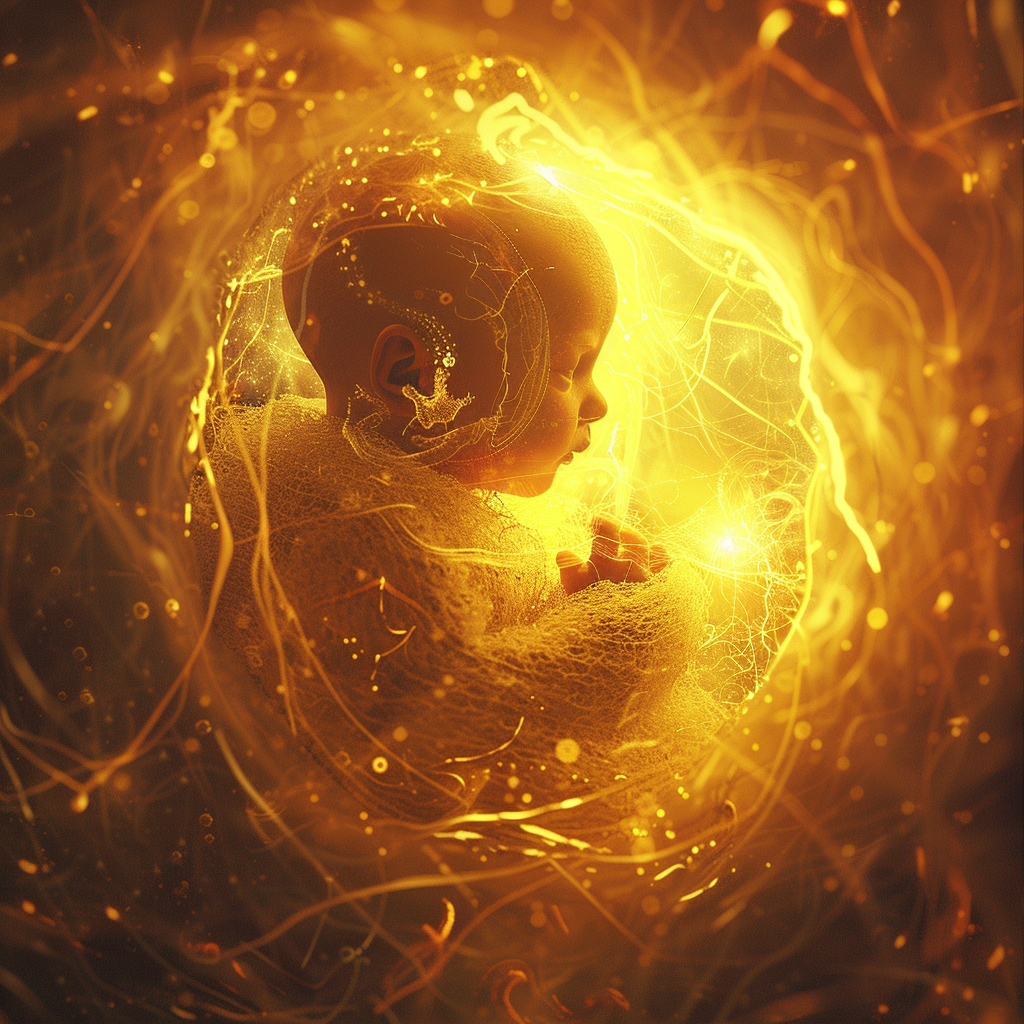
The world of AI art generation has exploded, and Midjourney has quickly become one of the most powerful and accessible tools. I’ve spent countless hours experimenting with Midjourney, and I’m consistently amazed by its ability to transform simple text prompts into breathtaking visual masterpieces. If you’re eager to dive into the world of AI art or want to take your Midjourney skills to the next level, you’ve come to the right place.
This comprehensive tutorial will guide you through everything you need to know to master Midjourney, from the basics of getting started to advanced prompt engineering techniques. I’ll share my personal insights, practical tips, and real-world examples to help you unleash your creative potential. We’ll explore how to craft effective prompts, understand Midjourney’s parameters, upscale your images, and even delve into some of the more advanced features that can take your AI art to extraordinary heights.
Whether you’re an artist, designer, marketer, or simply someone who loves to create, Midjourney offers a unique and exciting way to bring your visions to life. So, let’s embark on this creative journey together and unlock the boundless possibilities of AI art with Midjourney.
Getting Started with Midjourney
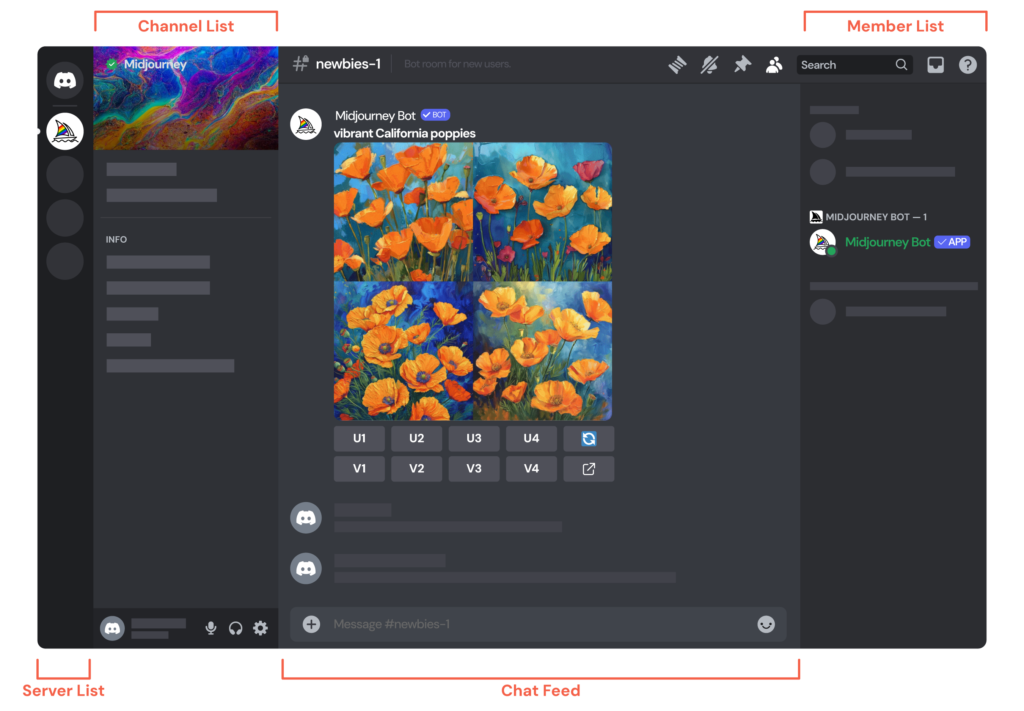
Midjourney operates primarily through a Discord server. This might seem a bit unusual at first, but it fosters a vibrant community and provides a unique way to interact with the AI. Here’s how to get started:
- Join the Midjourney Discord Server: You’ll need a Discord account. Then, head to the Midjourney website and follow their instructions to join the server.
- Find a Newbie Room: Once you’re in the server, look for channels named “newbie-#” – these are the places to start generating your images.
- Use the /imagine Command: To start creating, type “/imagine” in the message bar, followed by your text prompt.
My First Experience: I remember the thrill of typing my first prompt. I went with something simple: “/imagine A vibrant abstract painting.” The results were astonishing! Even with a basic prompt, Midjourney produced four unique and captivating images. It was like magic unfolding before my eyes.
Example: /imagine A photorealistic image of a lone tree on a hilltop at sunset.
Important Note: Midjourney’s interface and features can evolve, so always refer to the official Midjourney documentation and Discord announcements for the most up-to-date information.
Crafting Effective Prompts: The Heart of Midjourney
The text prompt is your instruction to Midjourney. It’s how you communicate your vision to the AI. The better your prompt, the better the results. I’ve learned that prompt engineering is both a science and an art. Here are some key principles:
- Be Specific: Instead of “a flower,” try “a photorealistic close-up of a dewy red rose.”
- Use Descriptive Language: Include details about the subject, style, lighting, color, and mood.
- Specify the Medium: Mention if you want a “painting,” “photograph,” “sketch,” etc.
- Reference Artists or Styles: If you have a particular artistic style in mind, include it (e.g., “in the style of Van Gogh”).
My Prompt Experiment: I once challenged myself to create a series of images of a futuristic cityscape. I started with a very basic prompt: “/imagine futuristic city.” The results were interesting but generic. Then, I refined my prompts, adding details like:
- “/imagine A neon-lit futuristic cityscape at night, with flying vehicles, in the style of Syd Mead.”
- “/imagine A cyberpunk cityscape with towering skyscrapers and holographic advertisements, cinematic lighting.”
- “/imagine A desolate futuristic city overgrown with vegetation, post-apocalyptic, moody atmosphere.”
Each iteration produced dramatically different and more compelling results. It was a powerful demonstration of how much control you can have with well-crafted prompts.
Essential Midjourney Parameters
Midjourney offers parameters that you can add to your prompts to fine-tune the output. These parameters give you even more control over the AI’s generation process. Here are some of the most important ones I use regularly:
Midjourney Prompt Cheat Sheet
| Category | Parameter/Tip | Description | Example/Range |
|---|---|---|---|
| Basic Parameters | –ar (Aspect Ratio) | Changes the image’s width:height ratio. | e.g., –ar 16:9, –ar 1:1 |
| –v (Version) | Uses a specific Midjourney version. | e.g., –v 5.2 | |
| –q (Quality) | Adjusts image quality. | 0.25, 0.5, 1, 2 (higher = better) | |
| –chaos | Introduces variation in results. | 0-100 (higher = more chaos) | |
| –style | Controls the level of stylization. | 0-1000 (higher = more stylized) | |
| Additional Parameters | –no | Excludes specific elements. | e.g., –no people, –no cars |
| –stop | Stops generation at a percentage. | 0-100 | |
| –tile | Creates a seamless tile pattern. | (No specific value range) | |
| –iw (Image Weight) | Prioritizes image vs. text prompt. | 0-2 | |
| –sw (Style Weight) | Prioritizes referenced style. | 0-1000 | |
| –cw (Character Weight) | Prioritizes referenced character. | 0-100 | |
| Prompting Tips | Be specific and descriptive | Provide clear details about the desired image. | Use detailed nouns, adjectives, and verbs |
| Use keywords and phrases | Incorporate relevant terms for style, mood, content. | e.g., “photorealistic,” “vibrant colors,” “dynamic pose” | |
| Reference inspiration | Mention specific artists, styles, or images. | e.g., “in the style of Van Gogh,” “Art Deco” | |
| Experiment | Try different parameters and combinations. | Vary –chaos, –style, –ar | |
| Combine elements | Create complex prompts with multiple details. | Combine subject, setting, style, lighting | |
| Use Midjourney Community | Seek inspiration and feedback. | Explore Discord channels | |
| Important Notes | Midjourney Evolves | Features and parameters change, so stay updated. | Check Midjourney announcements |
| Practice is Key | Mastery comes with experimentation and consistent use. | Try different prompts regularly |
Real-World Example: I was creating a banner for my website. I needed a widescreen image of a mountain range. I used the following prompt:
/imagine A majestic mountain range at sunrise, golden light, photorealistic –ar 16:9 –v 5.2 –q 2
The “–ar 16:9” parameter ensured the image fit perfectly as a banner, and the “–q 2” parameter gave me a high-quality, detailed image.
Tip: You can combine multiple parameters in a single prompt to achieve very specific results.
Upscaling and Variations: Refining Your Images
Midjourney initially generates a set of four low-resolution images. You then have options to:
- Upscale: Increase the resolution of a specific image (U1, U2, U3, U4 buttons).
- Create Variations: Generate variations of a specific image (V1, V2, V3, V4 buttons).
- Reroll: Generate a new set of four images from the same prompt (the refresh button).
My Iterative Process: I often use the variations feature to refine an image. I’ll generate an initial set, choose the one I like best, and then create variations. I might do this several times, subtly tweaking the image until it perfectly matches my vision. It’s an iterative process of collaboration between me and the AI.
Advanced Prompting Techniques
As you become more comfortable with Midjourney, you can explore advanced prompting techniques to achieve even more sophisticated results:
- Image Prompts: Include an image URL in your prompt to influence the composition or style.
- Prompt Weights: Assign weights to different parts of your prompt to emphasize certain elements (e.g., “cat::2 dog::1” gives more emphasis to the cat).
- Seed Values: Use the –seed parameter to generate consistent results across multiple generations.
- Multi-Prompts: Use double colons (::) to separate different parts of your prompt, allowing Midjourney to treat them as distinct elements.
Advanced Prompt Example: I wanted to create an image that combined the style of a famous painter with a specific subject. I used an image prompt and a style reference:
/imagine A portrait of a woman with flowing red hair, in the style of Gustav Klimt, detailed, ornate –v 5.2
This allowed me to guide Midjourney towards a very specific aesthetic.
The Midjourney Community and Finding Inspiration
The Midjourney Discord server is not just a place to generate images; it’s also a thriving community of artists, designers, and enthusiasts. I’ve found it to be an invaluable source of inspiration and learning.
- Explore the Showcase Channels: See what other users are creating.
- Ask for Help: Don’t hesitate to ask questions in the support channels.
- Share Your Work: Get feedback and connect with other creators.
My Community Experience: I once got stuck trying to achieve a particular effect. I posted my prompt and the results in the #help channel. Within minutes, several users offered suggestions, and I was able to solve my problem. The collaborative spirit of the Midjourney community is truly remarkable.
Ethical Considerations in AI Art
As with any powerful technology, it’s important to consider the ethical implications of AI art generation. Some key issues include:
- Copyright and Ownership: Who owns the copyright to AI-generated images?
- Artist Displacement: Will AI art replace human artists?
- Misuse and Deepfakes: How can we prevent the misuse of AI art for malicious purposes?
My Perspective: I believe that AI art is a tool that can augment and enhance human creativity, not replace it. It’s crucial to have open and honest conversations about these ethical challenges and to develop guidelines and best practices for responsible AI art creation.
Midjourney for Business and Marketing
I’ve also explored the potential of Midjourney for business and marketing. It can be a powerful tool for:
- Creating Unique Visuals: Generate eye-catching images for websites, social media, and marketing campaigns.
- Prototyping and Concept Art: Quickly visualize ideas and concepts.
- Branding: Develop a consistent visual style for your brand.
Marketing Application: A friend of mine used Midjourney to create a series of surreal images for a social media campaign. The images were unique, attention-grabbing, and generated a lot of buzz. It was a great example of how AI art can be used to create compelling marketing content.
The Future of Midjourney and AI Art
Midjourney and the field of AI art are constantly evolving. I’m excited to see what the future holds. Some trends I’m watching closely include:
- Improved AI Models: More sophisticated AI models that can generate even more realistic and creative images.
- Enhanced Control: Tools and features that give users finer-grained control over the AI generation process.
- Integration with Other Software: Seamless integration with design tools like Photoshop and Illustrator.
My Prediction: I believe that AI art will become an integral part of the creative workflow for many professionals and hobbyists. It will empower us to express ourselves in new and innovative ways, pushing the boundaries of art and imagination.
Your Midjourney Journey Starts Now
I hope this tutorial has inspired you to explore the incredible world of Midjourney. It’s a journey of discovery, experimentation, and boundless creativity. Don’t be afraid to try new things, push the limits of your imagination, and most importantly, have fun!